Chameleon Backoffice
OVERVIEW
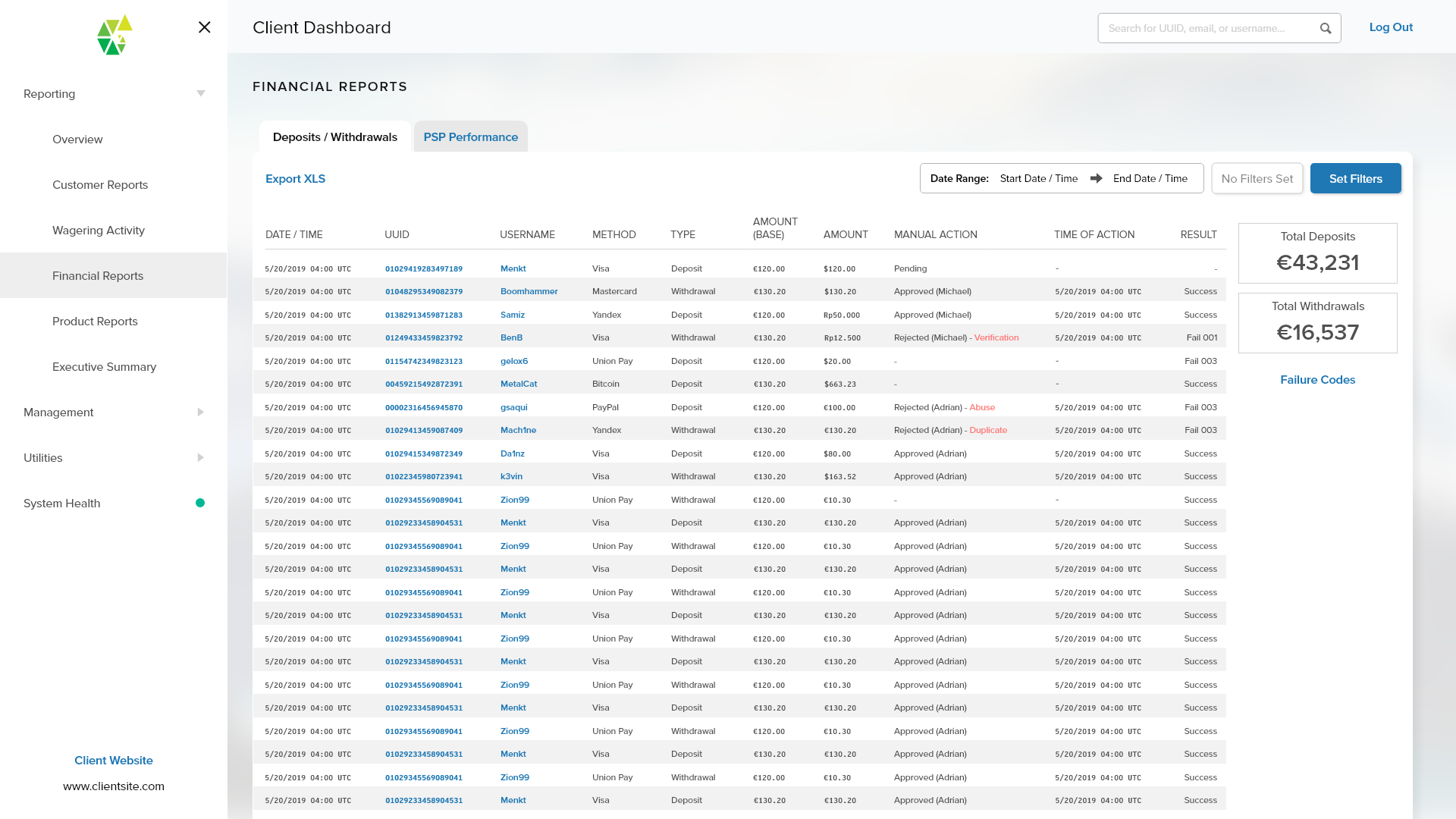
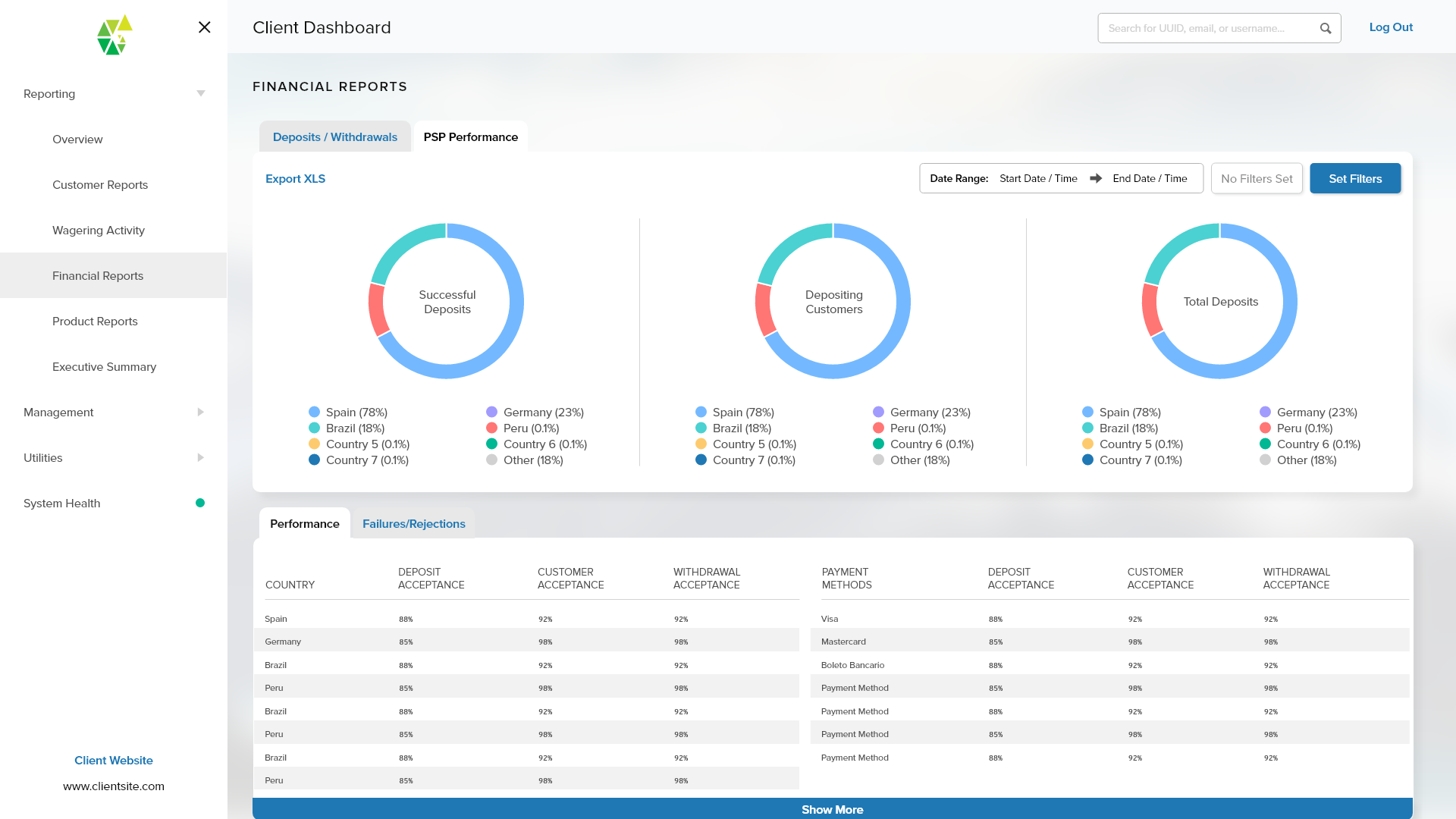
The Chameleon Backoffice is the interface that controls all facets of our whitelabel product: FansUnite Sportsbook. It is a comprehensive platform that contains all the essential tools for managing a sportsbook.
As the sole designer of this project, I designed this alongside the Sportsbook to ensure all aspects of necessary control were accounted for. Due to the iterative nature of Sportsbook, the Backoffice also has to be iterative and scalable to encompass new features and toolsets.
Recently, the Chameleon platform alongside the FansUnite Sportsbook and App were acquired by Betr for $10M CAD.
ROLE
Design Lead, Design System, Visual Design, Interactive Wireframes, Prototyping, Testing
2020 - 2022
Project Brief
The goal of the Backoffice is to be a all-in-one SaaS platform that allows for all aspects of managing a sportsbook and igaming frontend. To achieve this, we came up with four aspects in which to drive the design forward.
ITERATIVE
The Sportsbook is continually evolving with more features and verticals, so the Backoffice has to do so as well to match. As we add new features, we need new toolsets and also gain additional data to track and analyze. As we move into new jurisdictions, we need more in depth auditing tools to comply with gambling laws.
INFORMATIVE
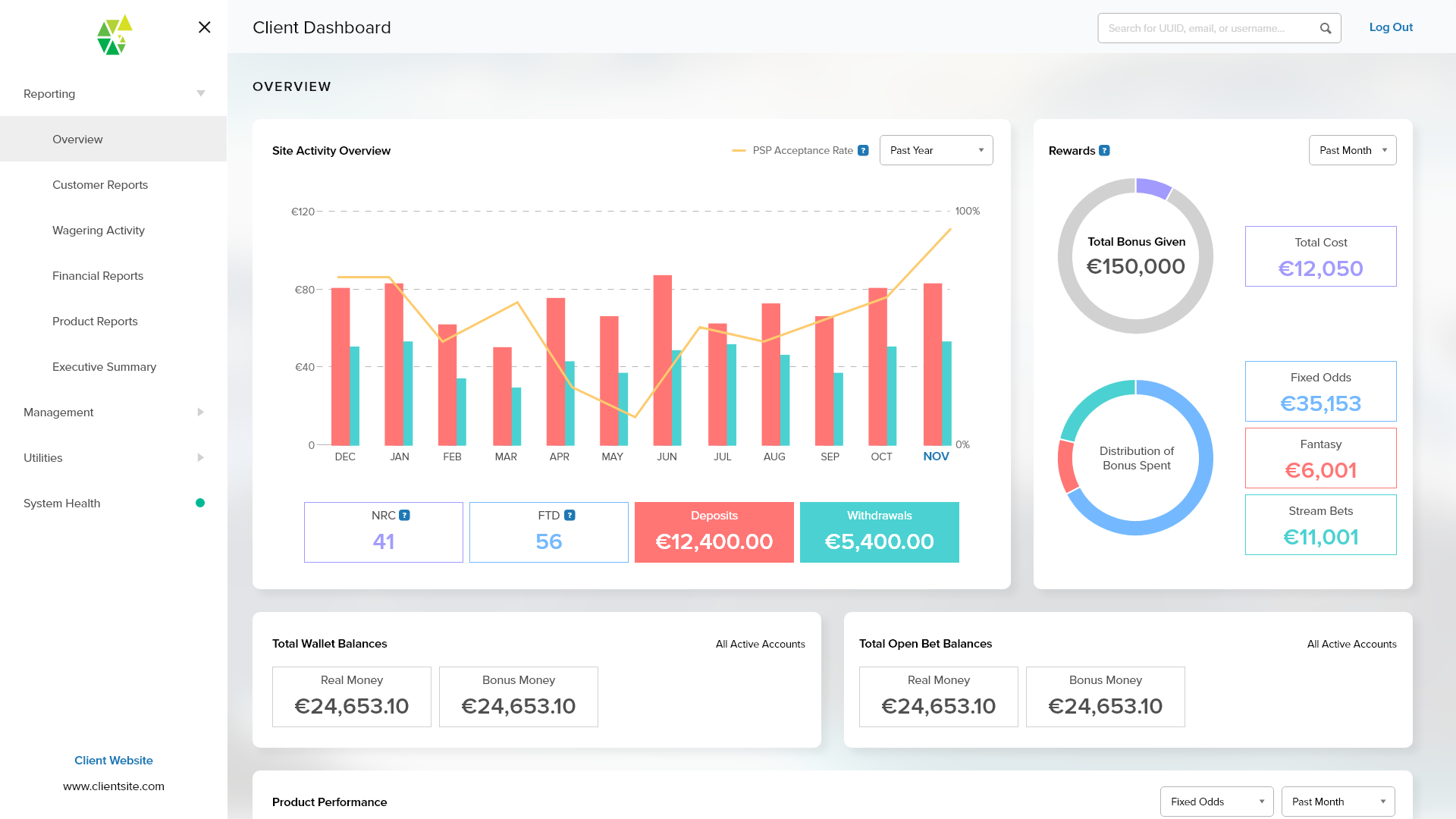
We track a ton of data across site performance, customer performance, payments and gross revenue. Key information and insight can get easily get lost. The Backoffice ideally must surface and present key data points and also be able to generate charts to display trends.
DISCOVERABLE
The Backoffice has to serve many different types of users including traders, analysts, scorers, translators, and more. To reduce training time, we want to lower the learning curve as much as possible. Tools and relevant data must be easily discoverable without requiring the user to read through a training manual beforehand.
FEEDBACK-DRIVEN
We will luckily have a large internal staff using this tool. This allows us to more easily obtain feedback from actual users. The goal is to take advantage of this and use their guidance to cater the user experience for them.
Design System
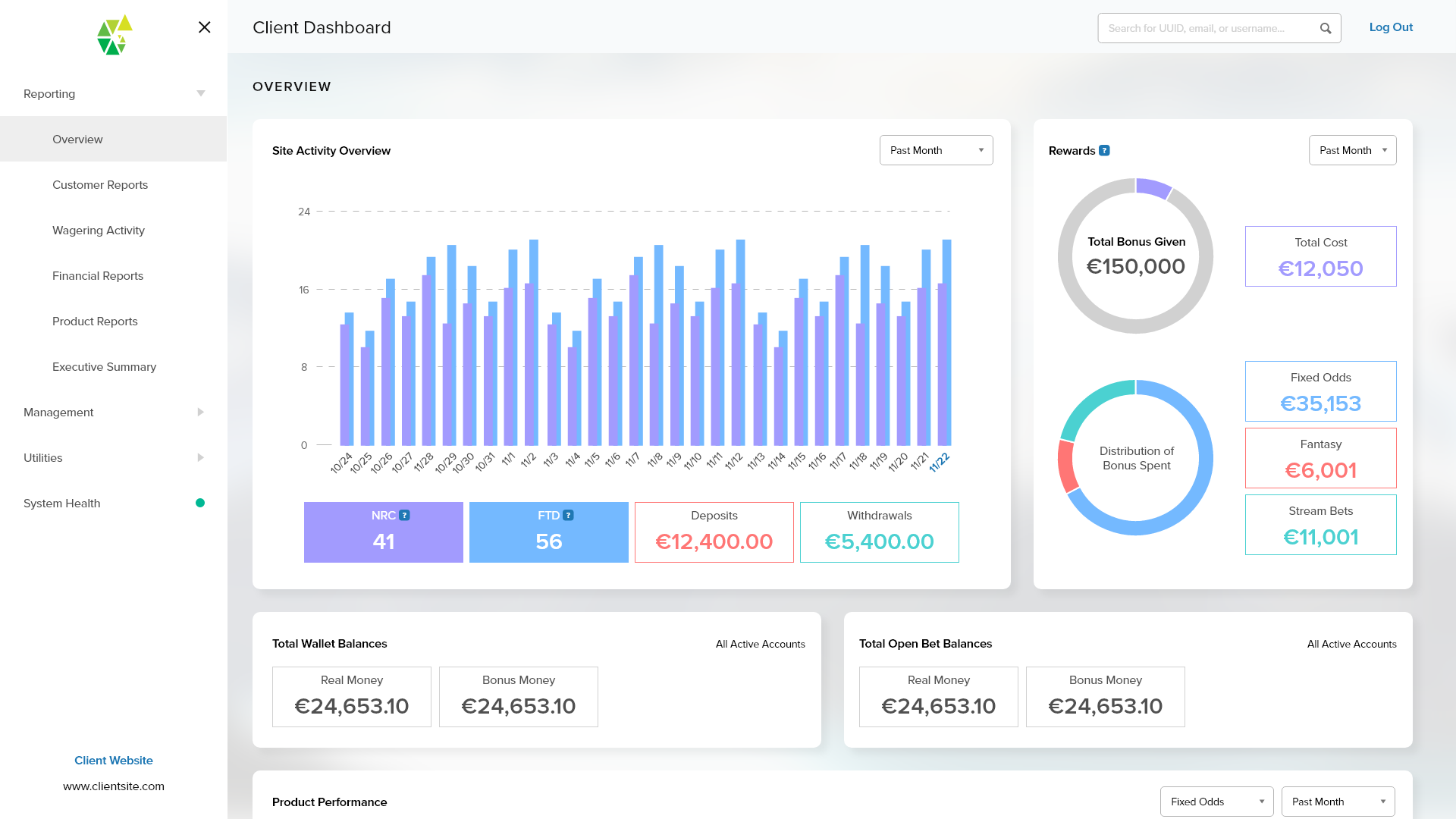
We took a minimal approach to the creation of this design system. Simplifying the components created visually apparent consistency between the toolsets. It also gave users an easier time gaining familiarity with the patterns, which lowered the learning curve for new toolsets added over time.
We also took the same approach to the typography and colour pallete, with the focus on providing an outlet for generating rich infographics and extrapolating key data points.
SITE STRUCTURE
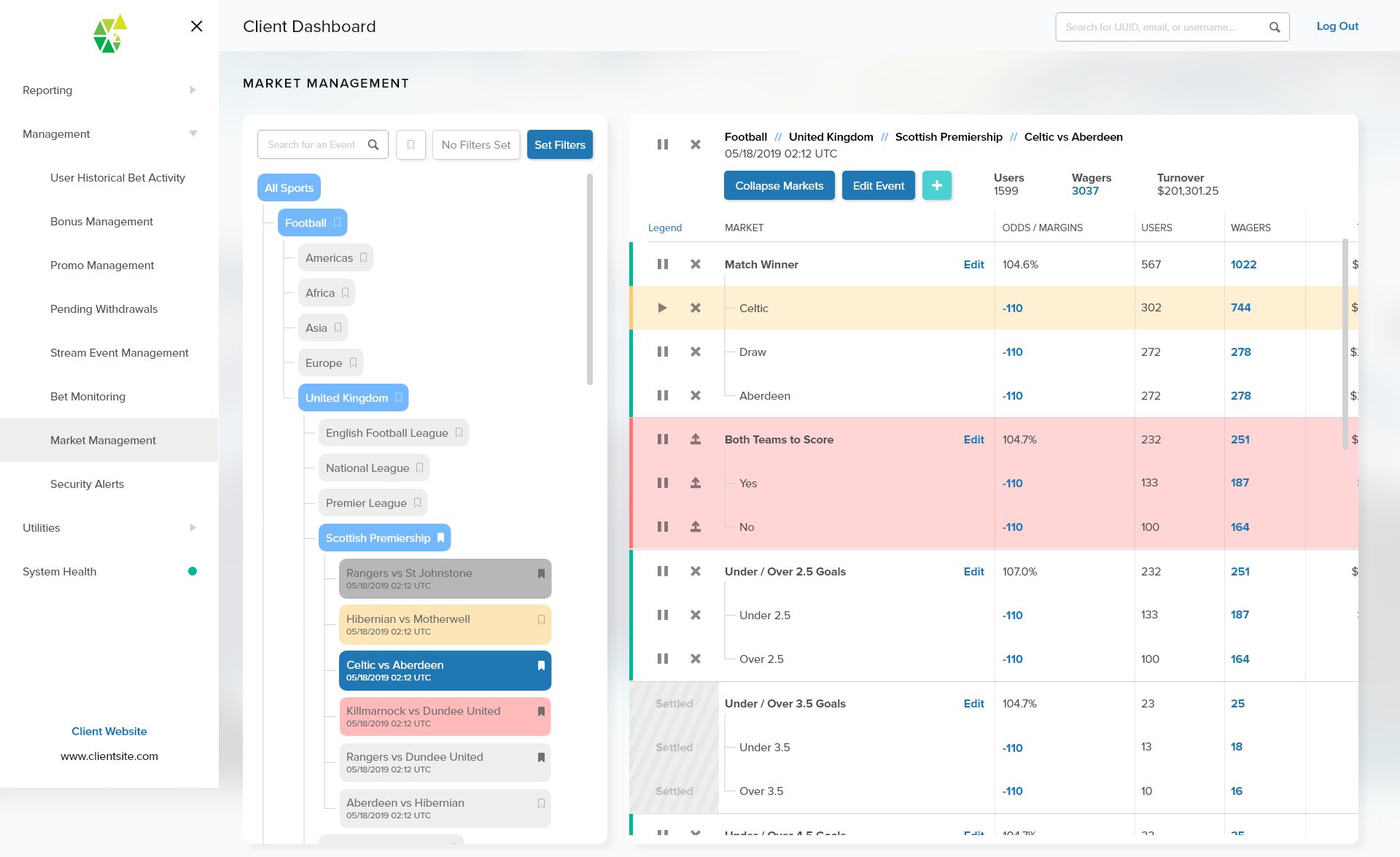
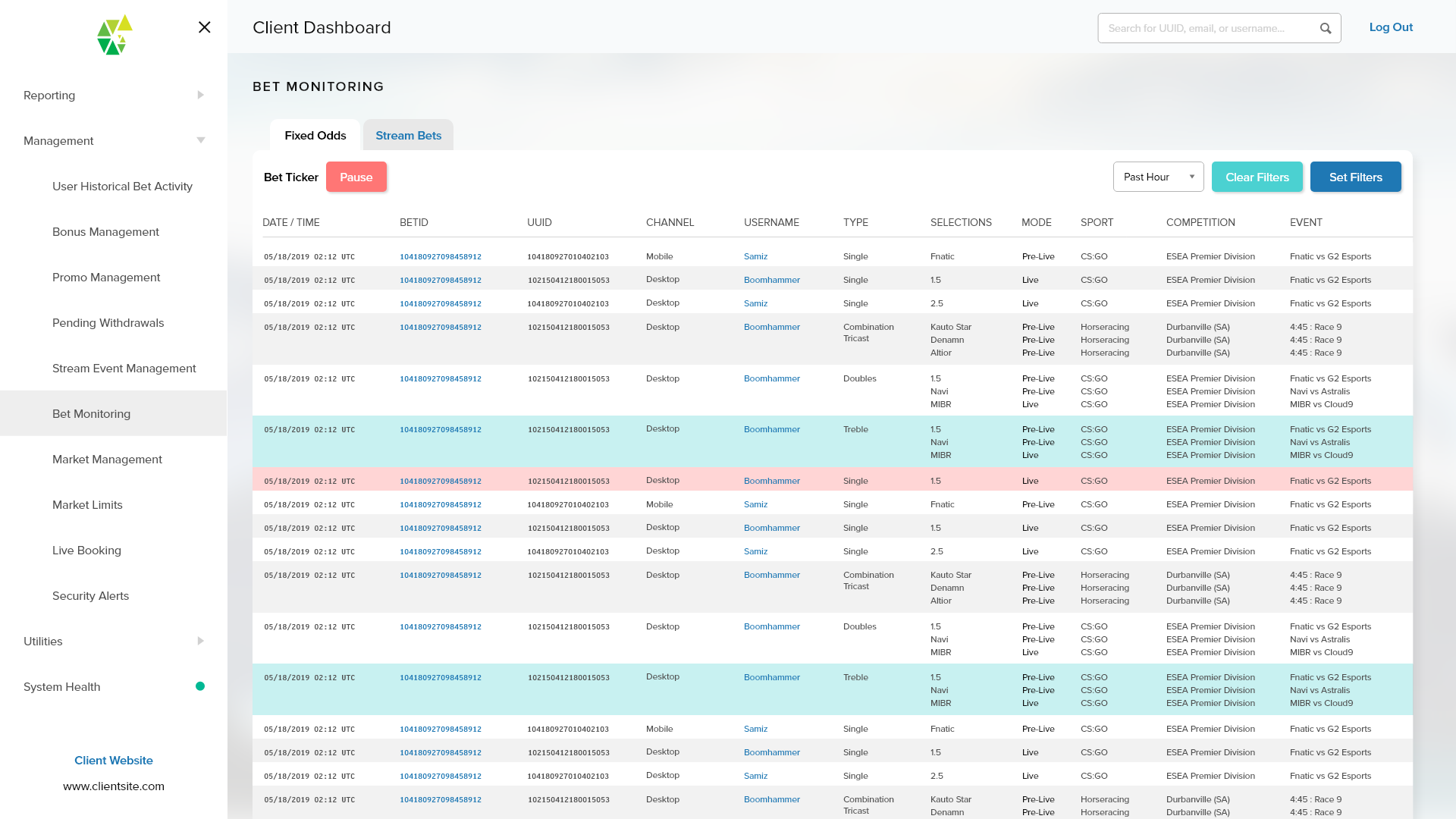
We have a large and growing number of tools in the Backoffice. To accomodate this, we went with a filing cabinet-type approach. We categorized the tools and placed them into an accordian-style navigation drawer.
We have a large number of users that use multiple displays and/or extra large displays to monitor or manage multiple tools. We made the navigation drawer hideable and the content area responsive to take advantage of screen real estate when available.
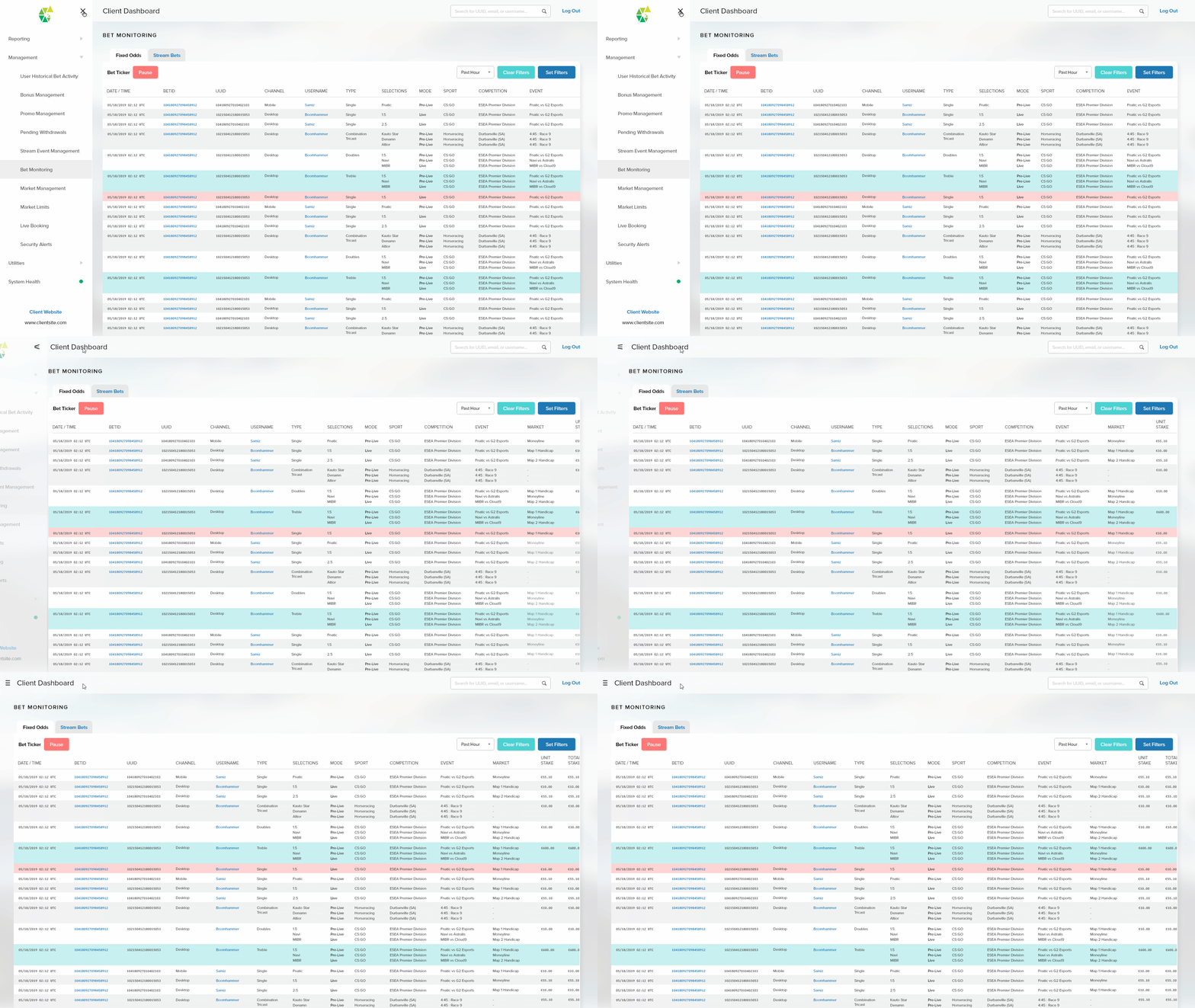
Example: Bet Monitoring
PERMISSIONS
We have many different tools for all of the different types of users, but not all of them are relevant for their specific workflow. To streamline the workflows, we implemented user permissions for different user types so that they only have access to the tools relevant to their workflow. This also helps reduce instances of human error as well as the overall learning curve of Backoffice. The other benefit of this is increased overall security as only authorized users have access to sensitive customer data.
MANAGING MULTIPLE WHITELABELS
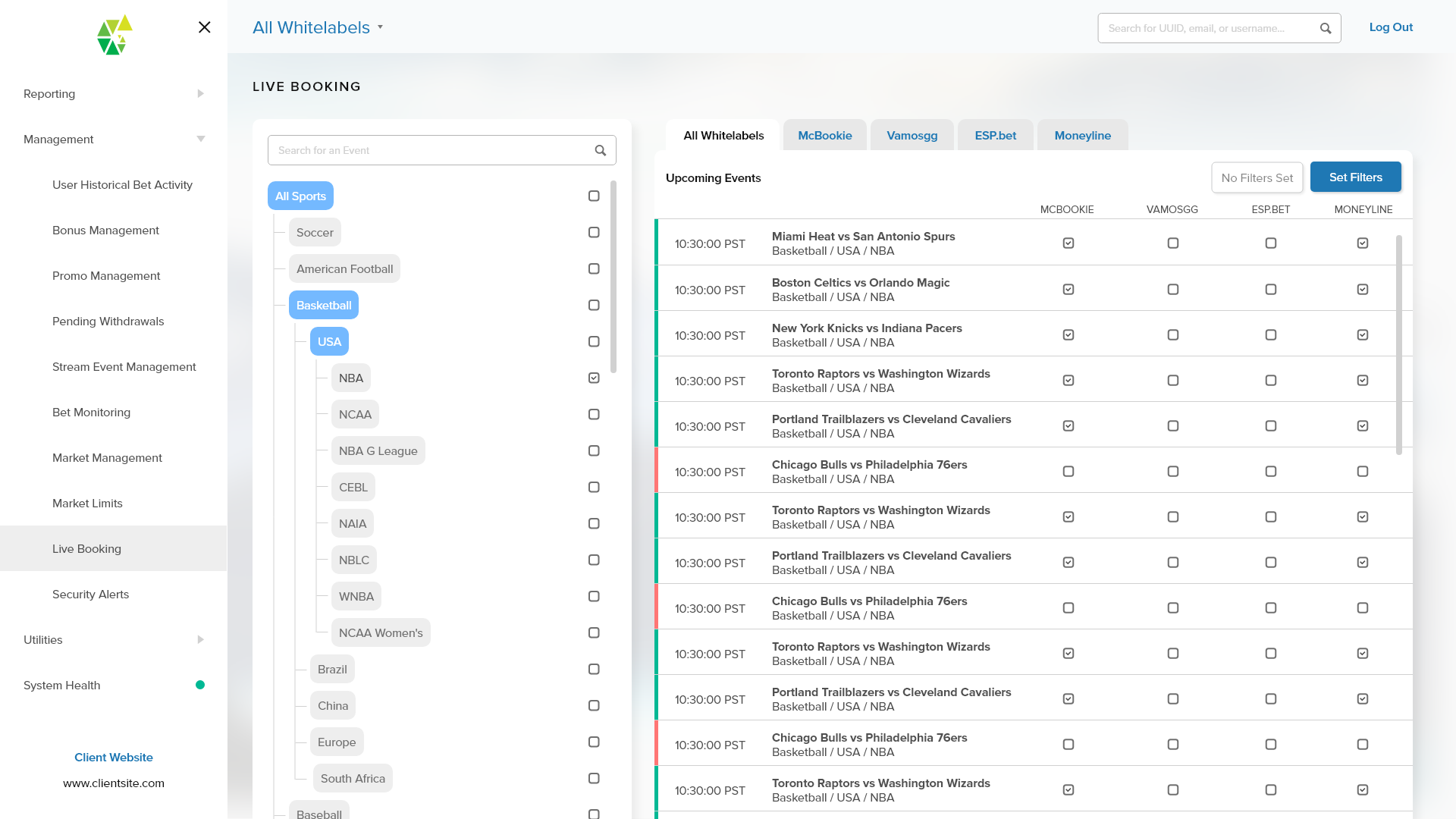
Some of our clients have multiple whitelabels catered towards different regions or markets. Being able to support the managing of multiple whitelabels was a large selling point for our platform. This requirement however had to be designed at the beginning of the project to ensure that the tools and the data were coherent in displaying the right information.
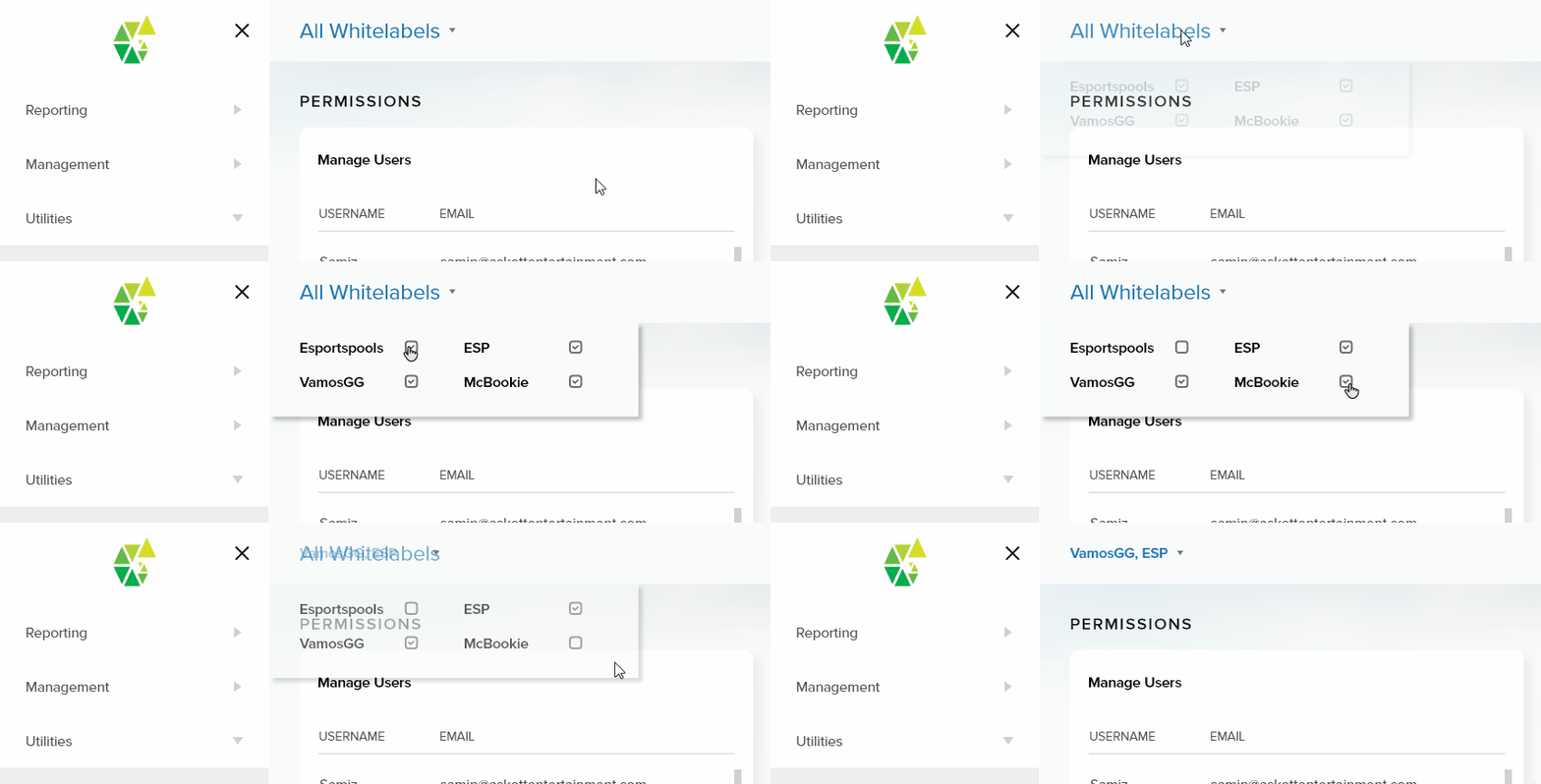
We designed a system where a user (if permission allows) was able to select multiple whitelabels at a time. The data would then display correspondingly to the whitelabels selected. Some tools will also gain additional controls to be able to manage across different whitelabels.
Example: Live Booking
Example Use Case: Risk Analysis
One of the types of users we have are customer risk analysts. Their job involves fraud detection, license compliance, and discovering potentially illegal activity.
We worked with our in-house fraud and compliance department to come up with a method of scoring our sportsbook users based on their assumed risk. We gave each sportsbook user a score out of 100, where 100 would be the highest risk. Suspicious activity is then given a score according to their severity and amount of risk.
Risk Score Distribution
USER STORIES
With the customer scoring system laid out, we wrote up a list of user stories to help aid the design of their work flow. The user stories also helped guide us in designing a coherent visual hierarchy.
EXCERPT FROM RISK ANALYST USER STORIES
I need to be able to quickly discover any new suspicious activity and review it
I need to be able to quickly pull up a specific customers data for analysis
I want to be able to quickly access a user’s level of risk at a glance
I need to be alerted to major risks
I need to be able to disable specific customer activities while they are under review
I need to be able to suspend an account
I need to be able to log out a user
I need to be able to check a user’s verification details and uploaded documents
I need to view a summary of user transactions
I need to know which of my colleagues were monitoring activity before me
I need to track a user’s login activity
I need to know if a user has self-excluded
I need to know if a user has set limits, and what those limits are
The next few examples will show how we tackled a few of these user stories.
SECURITY ALERTS
This is essentially the homepage for the risk analysts. Any activity that is flagged by our system is displayed here to be reviewed by the analysts. If an activity is especially high-risk, it gets highlighted in red to show it’s importance and priority. The UUID and Usernames are linked to their respective customer pages where the analysts can perform further actions. Once an analysts reviews the activity, they can check off the alert and it will move into the bottom area where it gets logged for other analysts to see.
Example: Security Alerts
SEARCH
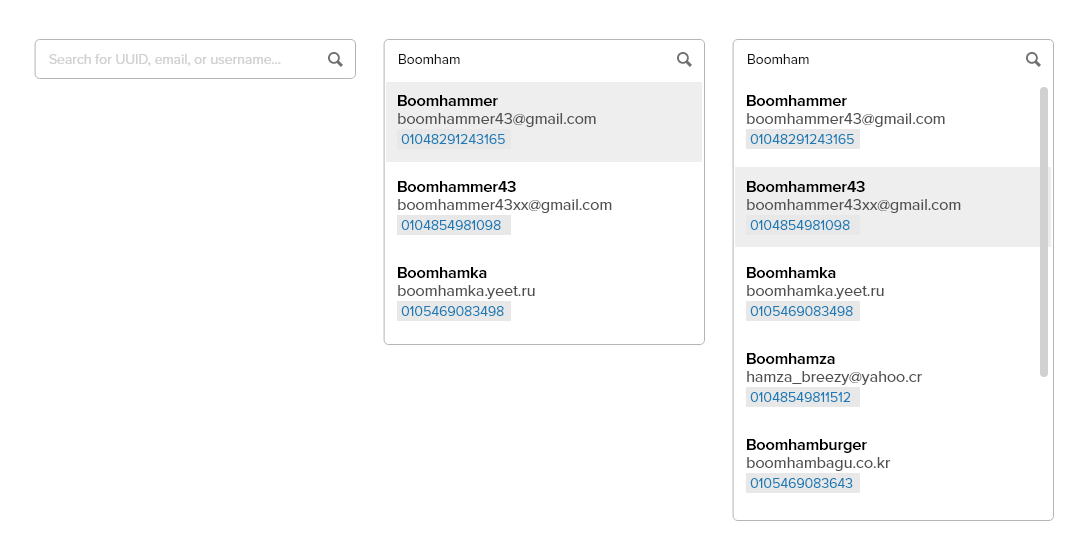
We also have a user search bar available at all times on the top bar, so our users can quickly find specific customer profile pages as needed.
CUSTOMER PROFILE PAGE
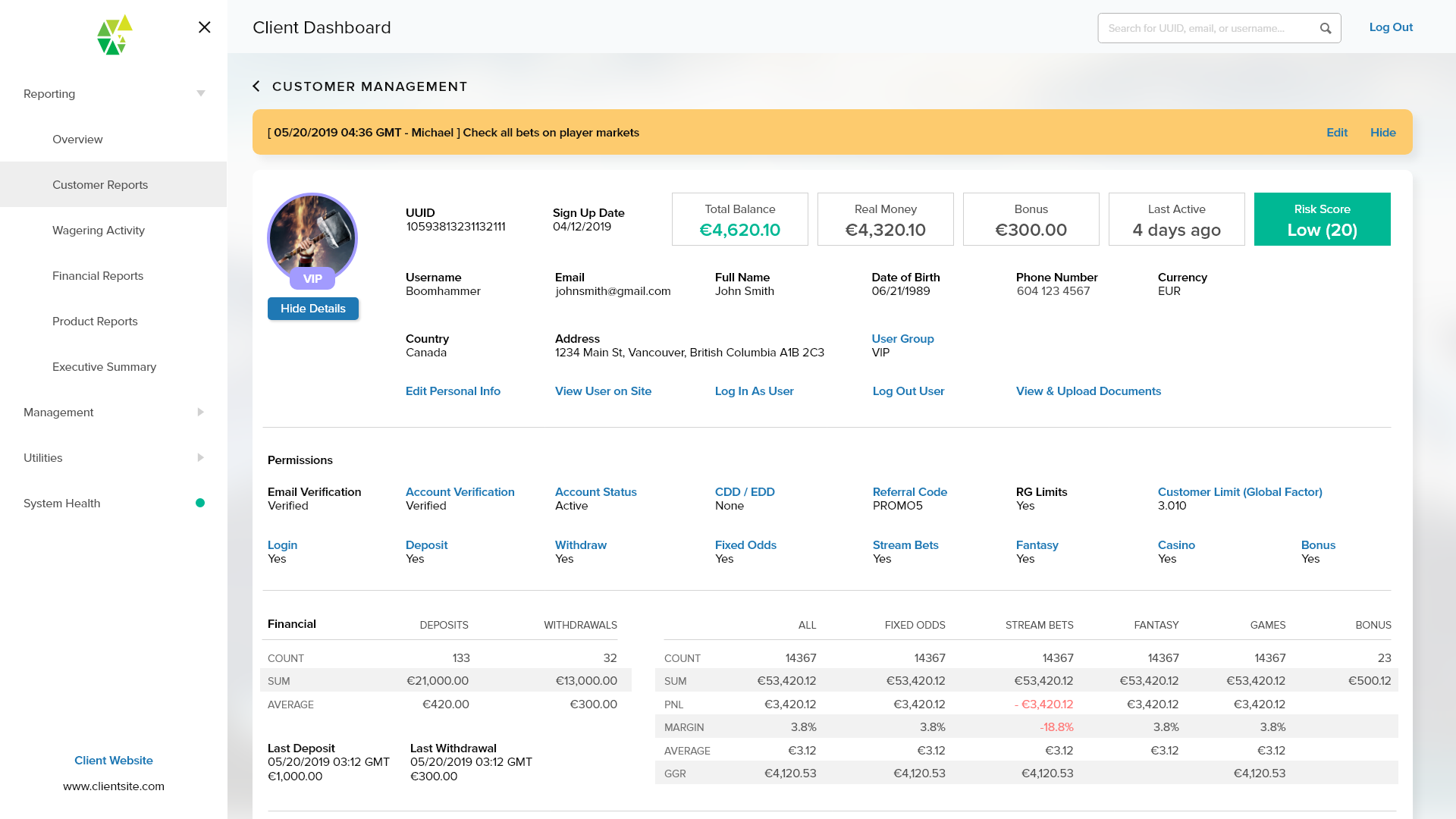
The customer profile page has an extensive list of capabilities. Important information, such as alerts or notes written by other analysts are displayed prominently at the top so it will be the first messages read by a user visiting this page. The risk score is also coloured-coded and displayed prominently at the top right so analysts know right away if this is a problem customer.
The analyst is able to log out the user, view their uploaded identification documents to check for fraud, as well as review all of their inputted personal information as well. In the permissions section, the analyst can turn on and off the customers ability to play different verticals and can even suspend or close the user’s account.
The notes section allows for any additional customer information to be relayed between the team.
In the risk profile tab, a breakdown of the score is displayed with a description for each instance of risk score increase. There is also an active changelog so risk activity can be tracked and traced backwards over time. This is essential for discovering patterns of behaviour in customers that may lead to money laundering, or other types of fraud activities.
What’s Next
The Backoffice is a constantly evolving project, and there is a pipeline of new features and tools to be added over time. As the tools are built, we also have the benefit of receiving direct feedback from our users which we can use to iterate on and improve.
The ease of use and low learning curve is a point of pride for this project, and our demos have directly helped our sales team attract new whitelabel clients to our platform.
In recent news, the Chameleon platform alongside the sportsbook and app were acquired by Betr for $10M CAD.
Project Showcase
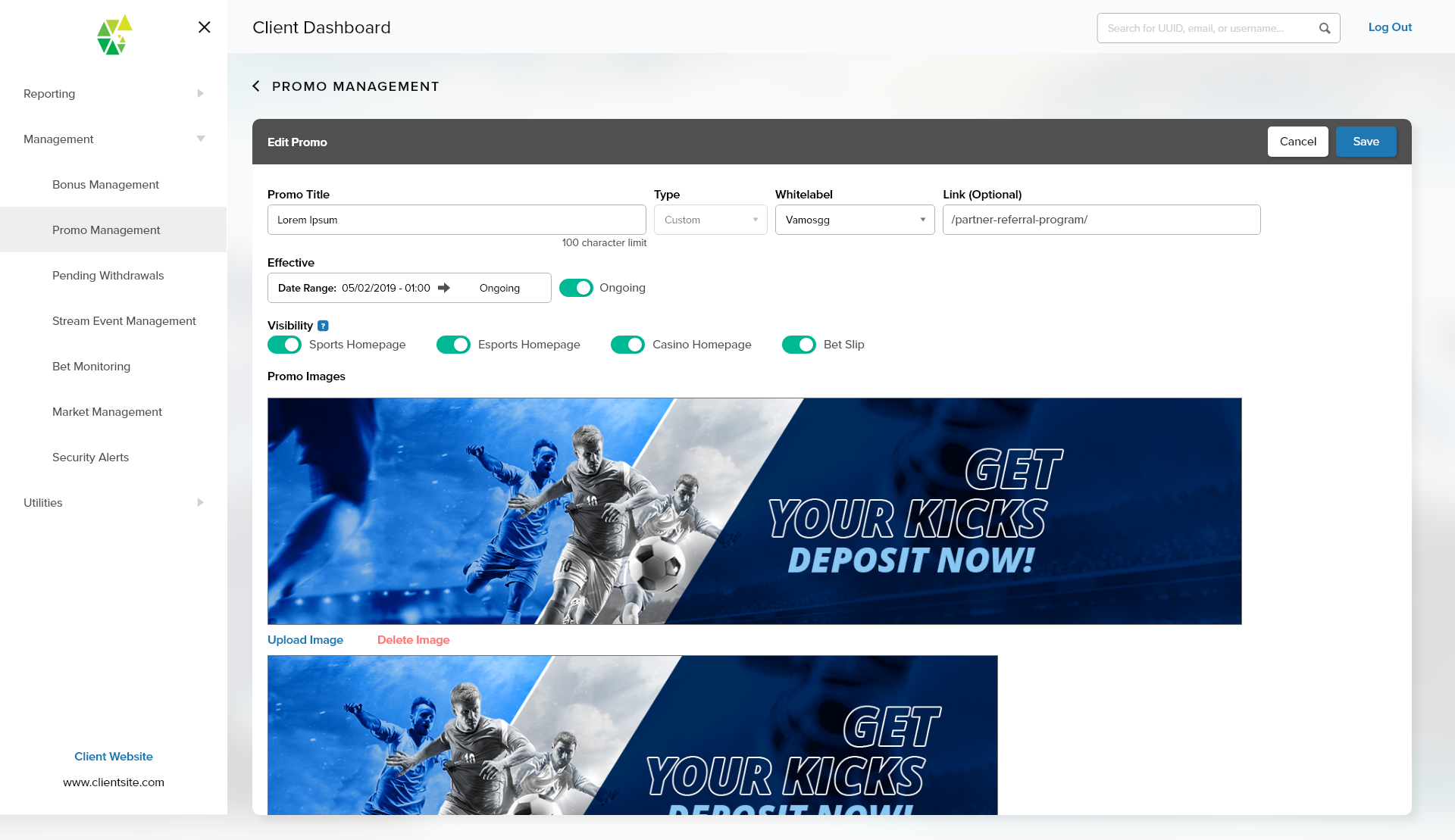
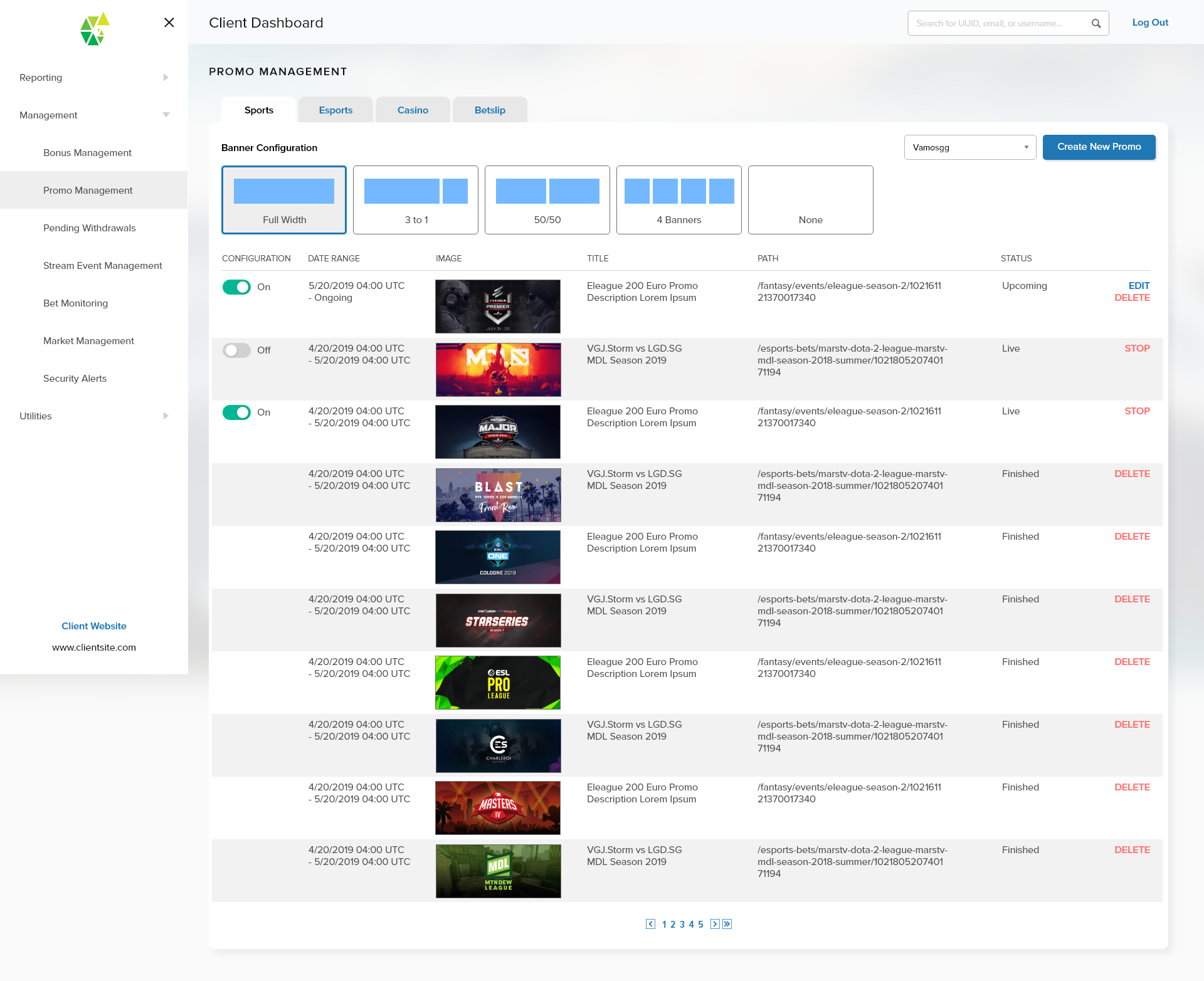
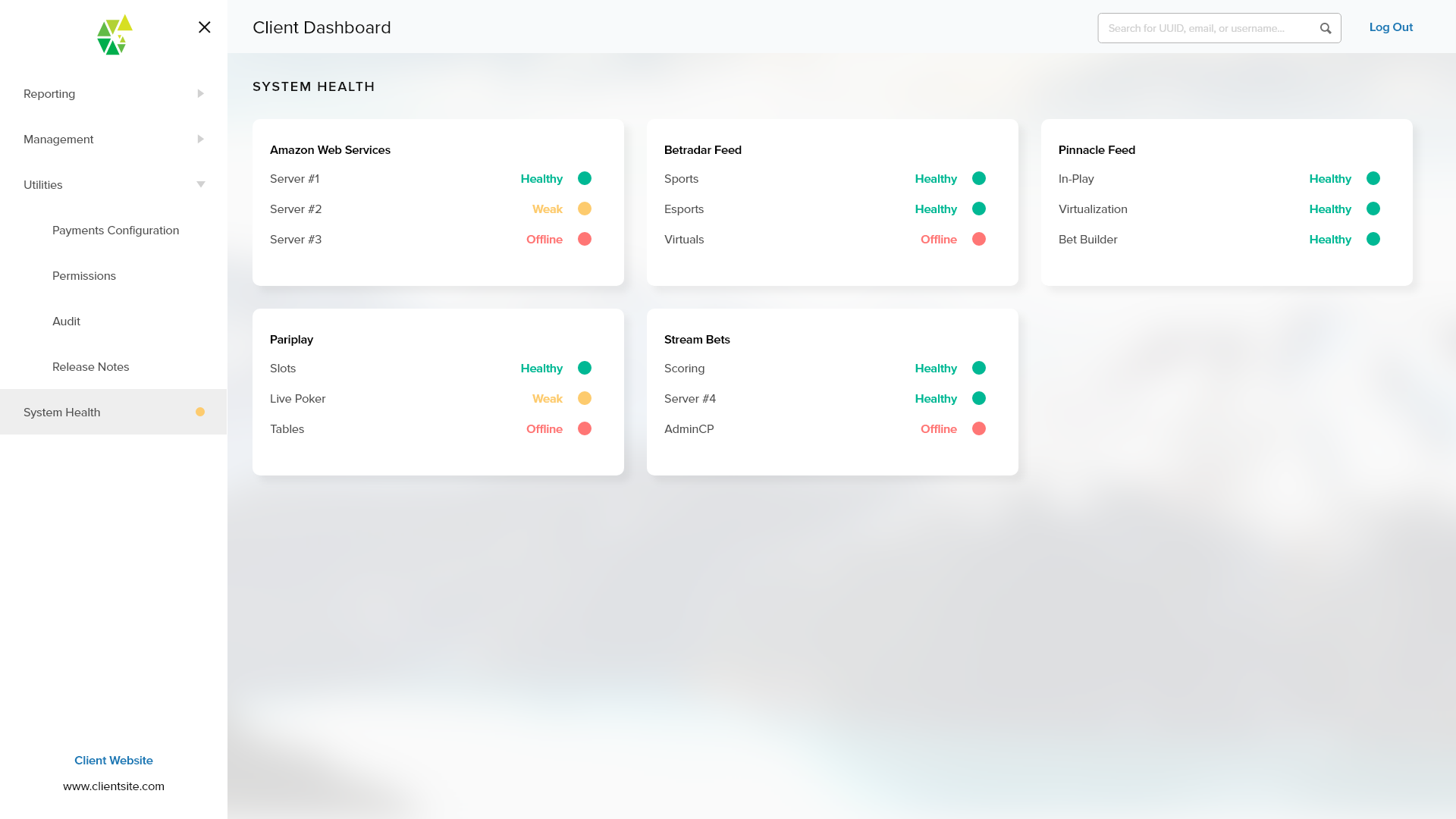
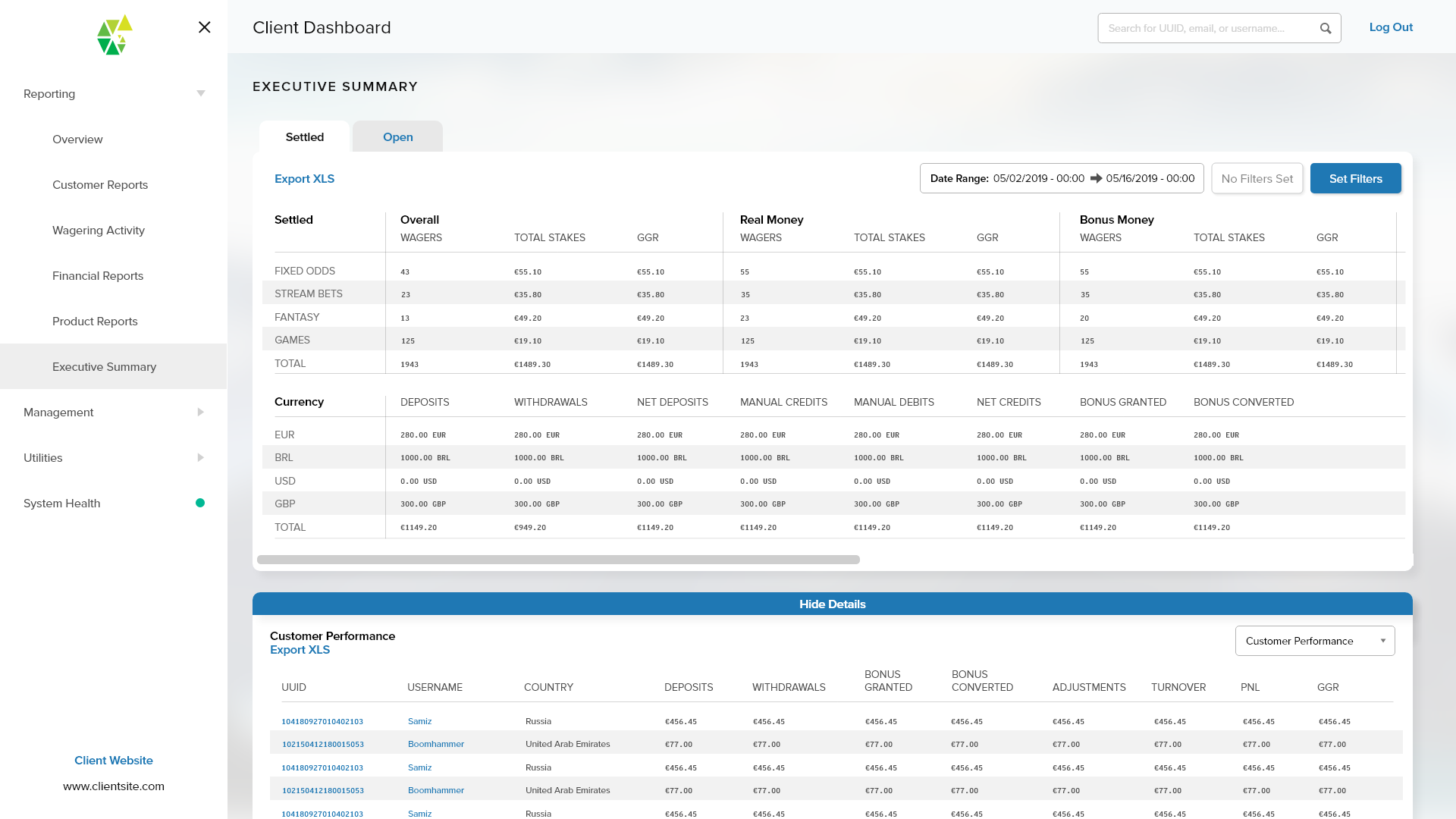
System Health
Customer Profile